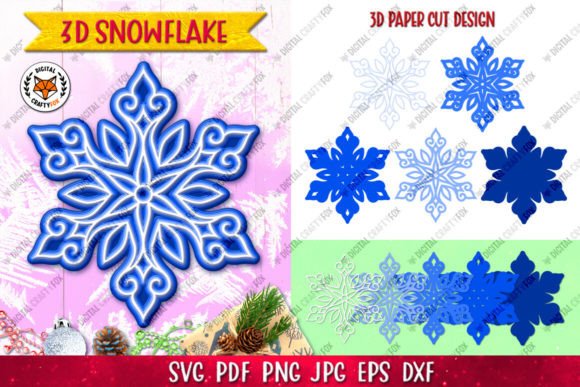
Evaluating 3D Snowflake Layered Designs and 3D Christmas SVG Files for Holiday Crafting
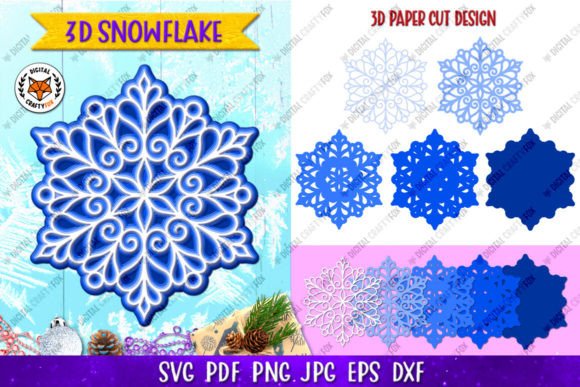
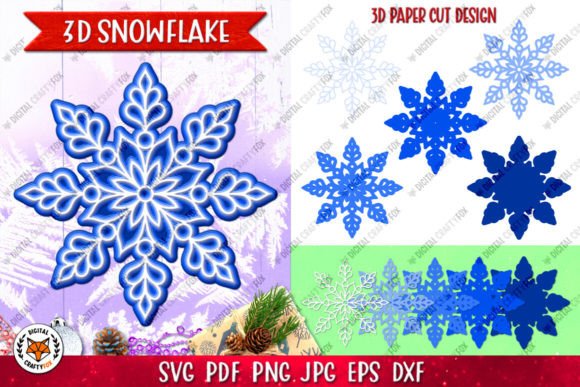
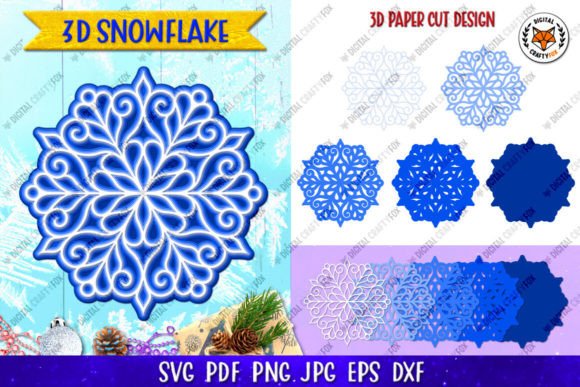
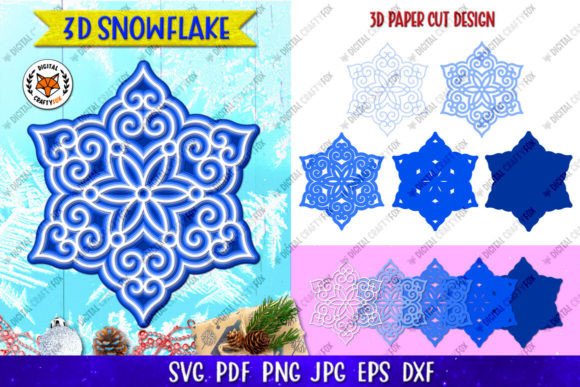
The transition from flat, two-dimensional holiday decor to dimensional paper art has significantly changed how crafters approach seasonal projects. At the center of this shift is the 3D Snowflake Layered design format. Unlike traditional single-cut silhouettes, these files are engineered specifically to create depth through stacking. When evaluating a 3D Christmas SVG for your next project, it is essential to understand that you are not merely downloading an image; you are acquiring a structural blueprint. A high-quality layered snowflake typically consists of five distinct layers that, when assembled, transform a simple vector graphic into a sculptural ornament suitable for cards, shadow boxes, or standalone decorations.
For makers comparing digital assets, the distinction between a standard decorative SVG and a true 3D layered file lies in the engineering of the alignment points and the separation of visual elements. While many marketplaces offer "snowflake" designs, only specific 3D Snowflake packages provide the necessary segmentation to achieve physical volume. Understanding the technical specifications, material compatibility, and intended end-use is critical for selecting the right digital asset, particularly when deciding between laser cutting, electronic die-cutting, or sublimation workflows.
Technical Composition and File Format Versatility
A comprehensive digital download for a 3D Layered Christmas Ornament must serve multiple fabrication methods simultaneously. The value of a digital asset is often determined by its format diversity. Professional-grade packs generally include six distinct file types to accommodate different hardware and software ecosystems. For users operating Cricut, Silhouette, or Brother cutters, the SVG file serves as the primary working document due to its scalability and native layer support. However, for those utilizing industrial or hobbyist laser cutters like Glowforge or xTool, the DXF file is often superior because it translates vector paths without the metadata bloat that can sometimes confuse laser software.
Beyond cutting, versatility extends to print-based applications. The inclusion of an EPS10 file (864x864 pixels) ensures compatibility with professional vector editing suites like Adobe Illustrator or CorelDRAW, allowing designers to modify stroke widths or resize elements without pixelation. For sublimation artists who wish to replicate the look of a 3D snowflake without physical assembly, high-resolution raster files are indispensable. A robust package includes both JPG and PNG files at 3600x3600 pixels and 300 DPI. The PNG version, featuring a transparent background, is particularly valuable for overlaying the snowflake design onto colored garments or mugs, while the PDF (300 DPI, RGB, transparent background) offers a universal proofing standard.
Crafters should also evaluate whether the download includes dedicated files for hand cutting. Not every maker owns digital fabrication equipment, and providing printable templates with cut lines democratizes access to the 3D Snowflake Layered aesthetic. This multi-format approach ensures that whether you are producing fifty ornaments via laser cutter or hand-cutting three intricate gifts, the source material supports your specific workflow.
Comparing Fabrication Methods: Laser, Die-Cut, and Sublimation
When choosing a 3D Christmas SVG, one must consider the primary fabrication method, as each presents unique tradeoffs regarding detail, speed, and finish. Laser cutting is generally the superior choice for intricate 3D Snowflake designs. The non-contact nature of laser beams allows for internal geometries and delicate lattice work that mechanical blades cannot reliably reproduce. If your chosen five-layer design features fine filigree or tight corners, laser cutting will yield the cleanest edges and most precise registration holes for assembly.
In contrast, electronic die-cutting machines (such as Cricut or Silhouette) excel in accessibility and material variety but have limitations with extreme complexity. Blade drag can occur on dense cardstock, potentially tearing delicate inner layers of a snowflake. Users relying on blade cutters may need to simplify certain layers or use lighter-weight paper compared to their laser-cutting counterparts. However, for standard 5-layer ornaments using 65lb to 80lb cardstock, modern die-cutters perform adequately, making them a viable option for home hobbyists who do not require industrial precision.
Sublimation represents a fundamentally different application of the same digital asset. Here, the 3D Snowflake Layered file is not used to create a physical object but to simulate dimension visually. This is the ideal alternative when durability is paramount—such as for outdoor signage, washable textiles, or drinkware—or when production time prohibits assembling five separate paper layers. The tradeoff is the loss of tactile texture. While a sublimated image can mimic shadows and highlights through color gradients, it cannot replicate the genuine parallax effect of stacked paper. Makers should choose sublimation-ready PNGs when the priority is speed and permanence over sculptural authenticity.
Material Selection and Assembly Considerations
The success of a 3D Layered Christmas Ornament depends heavily on material selection. Because these designs rely on stacking five layers, paper weight directly impacts the final proportion and structural integrity. Cardstock between 65lb (176 gsm) and 80lb (216 gsm) is typically the optimal range. Paper lighter than 65lb may appear flimsy and fail to cast distinct shadows between layers, diminishing the 3D effect. Conversely, cardstock heavier than 100lb can make the ornament excessively bulky and difficult to adhere, especially if using foam tape or glue dots for spacing.
Adhesive choice is another critical variable often overlooked during the evaluation phase. For a pristine 3D Snowflake finish, liquid glues are generally discouraged due to warping risks. Double-sided adhesive sheets or precision glue pens offer cleaner results. Some advanced designs incorporate built-in spacer tabs within the SVG cut lines, eliminating the need for separate foam spacers and ensuring consistent layer separation. When comparing products, check if the design includes these integrated engineering features, as they significantly reduce assembly time and improve uniformity across multiple units.
Color strategy also influences the perception of depth. Monochromatic white-on-white designs rely entirely on shadow play to define form, requiring directional lighting to be effective. Multi-colored variations, where each of the five layers utilizes a different shade, create depth through chromatic contrast. This makes colored versions more forgiving in low-light environments or photographic contexts. Evaluators should select monochromatic files for elegant, traditional aesthetics and multi-layer color sets for vibrant, modern displays.
Digital Asset Evaluation and Practical Limitations
Before purchasing or downloading any 3D Christmas SVG, it is prudent to manage expectations regarding digital-to-physical translation. A common point of friction involves color accuracy. Digital files are typically created in RGB color space for screen display, while printing and cutting materials operate in CMYK or rely on physical dye lots. Consequently, colors viewed on a calibrated monitor may differ from the actual printed output or the appearance of pre-colored cardstock. This discrepancy is inherent to digital crafting and is not necessarily indicative of a defective file. Users planning color-critical projects should always print test swatches or verify cardstock colors against the digital preview before committing to bulk production.
Resolution and sizing also warrant scrutiny. While vector formats (SVG, DXF, EPS) are infinitely scalable, raster components (JPG, PNG) have fixed dimensions. The industry standard of 3600x3600 pixels at 300 DPI allows for high-quality prints up to 12 inches square. If your project requires a 3D Snowflake Layered image larger than 12 inches for a backdrop or window cling, you must rely exclusively on the vector files or risk pixelation. Always verify that the included raster resolution aligns with your maximum intended print size.
Finally, consider the post-purchase support ecosystem. Digital downloads are static, but user questions are dynamic. Reputable sellers provide clear channels for troubleshooting file compatibility or assembly issues. Since these products are digital-only, there is no physical return logistics; therefore, the quality of documentation and seller responsiveness becomes part of the product's value proposition. Checking store ratings and reviewing feedback specifically mentioning "file organization," "cutting ease," or "assembly clarity" provides empirical data points that are often more reliable than marketing descriptions.
Making the Final Selection
Choosing the right 3D Snowflake Layered resource requires balancing artistic vision with technical constraints. If your goal is rapid, durable merchandise, prioritize high-resolution PNGs optimized for sublimation. If you seek heirloom-quality paper sculpture and possess laser cutting capabilities, focus on DXF/SVG packages with proven geometric complexity. For versatile home crafting, ensure the bundle includes hand-cutting templates and standard SVG compatibility.
Ultimately, the best 3D Christmas SVG is one that matches your equipment capabilities, material inventory, and skill level. By evaluating file formats, understanding fabrication tradeoffs, and acknowledging the realities of digital color management, makers can select resources that yield professional results. Whether creating a single bespoke gift or a batch of retail ornaments, informed selection reduces waste, saves time, and elevates the final craftsmanship of your holiday projects.